
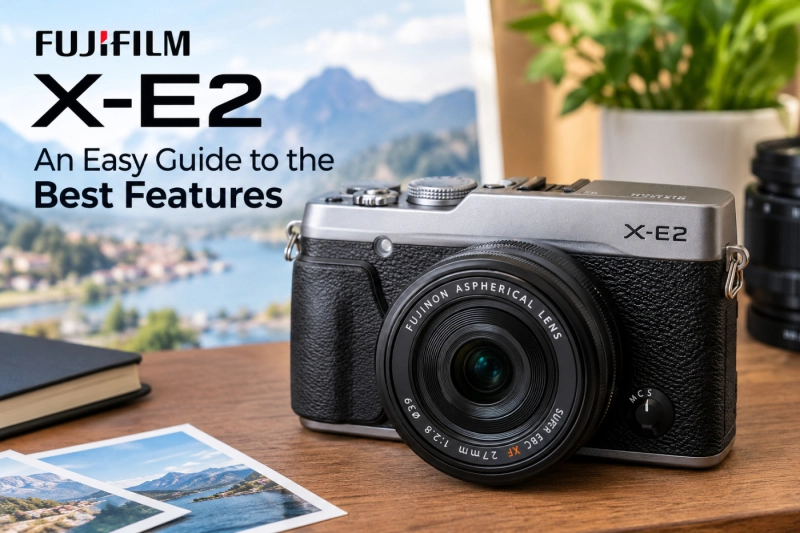
The Fujifilm X-E2 is a 16-megapixel, rangefinder-style mirrorless camera from 2013 whose best features are its film simulation colors, sharp X-Trans II sensor, hands-on dials, and a firmware update that kept it current years after launch. Think of this as Fujifilm X-E2: an easy guide to the best features, for anyone buying one used or digging an old one out of a drawer.
Is a camera from 2013 still worth your time?
For a lot of people, yes. Used X-E2 prices have actually crept up in the last couple of years, largely because people want Fujifilm’s straight-out-of-camera colors without paying for a new body.
What Is the Fujifilm X-E2, and Who Is It For Now?
Fujifilm announced the X-E2 in October 2013 as the follow-up to the X-E1. It launched at $1,399.95 with the XF 18-55mm kit lens. The big upgrade was phase-detection autofocus built into the sensor, which made it noticeably quicker to focus than its predecessor.
It sits below the X-Pro line and has a flat-topped, rangefinder look, with the viewfinder in the top-left corner rather than a hump in the middle. That shape is a big part of its appeal.
Today it suits three kinds of people well:
- Beginners on a budget who want a real interchangeable-lens camera for a few hundred dollars.
- JPEG shooters who’d rather get great color in camera than spend evenings editing RAW files.
- Second-camera owners who already shoot Fujifilm and want a cheap, light backup.
It’s a poor fit for sports, fast-moving kids, or serious video. More on that below.
Fujifilm X-E2: An Easy Guide to the Best Features
Here are the features that make this camera worth owning, roughly in order of how much they’ll matter to you day to day.
Film simulations (and Classic Chrome)
This is the reason most people buy an X-E2. Film simulations are Fujifilm’s color presets, based on its own film stocks, and they’re applied to JPEGs as you shoot.
After the final firmware, the X-E2 includes:
- Provia (Standard): balanced, everyday color
- Velvia (Vivid): punchy, saturated landscapes
- Astia (Soft): gentler contrast, kind to skin tones
- Classic Chrome: muted, documentary-style color
- Pro Neg Hi and Pro Neg Std: soft, portrait-friendly looks
- Monochrome (plus yellow, red, and green filter versions) and Sepia
Classic Chrome arrived with firmware 3.00 in December 2014, and it’s still the most-loved look among X-E2 owners. Street photographers especially like it.
You won’t get newer simulations like Acros, Eterna, or Classic Neg. That’s the trade-off for buying older. But community “recipes” written for X-Trans II cameras (Fuji X Weekly has a large collection) get you surprisingly close to many newer looks. A simple starting point: Classic Chrome, Highlight -1, Shadow +1, Color 0, Sharpness 0, Noise Reduction -2, DR200.
The X-Trans II sensor and its JPEGs
The 16.3MP APS-C sensor uses Fujifilm’s X-Trans II color filter layout instead of the standard Bayer pattern. Because of that arrangement, there’s no optical low-pass (anti-aliasing) filter, so fine detail stays crisp.
Sixteen megapixels sounds low now. In practice, it’s enough for sharp 12×18-inch prints and anything you’ll post online. Where you’ll feel the limit is heavy cropping.
One quirk most guides skip: some RAW editors render X-Trans files with a smeary, “worm-like” texture in foliage. Lightroom’s Enhance Details feature and Capture One handle them much better than older converters did.
Physical dials that make sense
The X-E2 gives you a top-plate shutter speed dial and an exposure compensation dial. Pair it with an XF lens that has an aperture ring, and you can set exposure without touching a menu.
Here’s how that looks in practice: set the shutter dial and the lens ring to “A” and you’re in full auto exposure. Turn only the lens ring to f/4, and you’re in aperture priority. It’s how film cameras worked, and once it clicks, it’s faster than scrolling through modes.
The camera also has a built-in pop-up flash, which later X-E models dropped.
The electronic viewfinder
The X-E2’s OLED viewfinder has 2.36 million dots, 0.62x magnification (in 35mm terms), and a display lag Fujifilm rated at just 0.005 seconds. Firmware updates also raised its refresh rate.
An EVF shows exactly how your exposure and film simulation will look before you press the shutter. Set Classic Chrome, and you’ll see Classic Chrome in the finder. For learning exposure, that instant feedback is hugely helpful.
The firmware 4.0 autofocus upgrade
Here’s the thing most people miss: an X-E2 running old firmware is a noticeably worse camera.
Firmware 4.0, released in February 2016, brought the X-E2 almost to parity with the then-new X-E2S. It added Zone and Wide/Tracking autofocus modes, better AF accuracy, an electronic shutter up to 1/32,000 second, and a reworked menu layout. The final version, 4.10, came in November 2017.
That electronic shutter matters more than it sounds. It lets you shoot silently and use fast lenses wide open in bright sun, something the 1/4,000 second mechanical shutter can’t always handle.
Manual focus aids and adapted lenses
The X-E2 offers focus peaking (highlighting in-focus edges) and Digital Split Image, which mimics the split-prism focusing screens of old film cameras.
These make it a lovely body for vintage lenses. A $20 adapter lets you mount an old Pentax, Canon FD, or M42 lens, and a 50mm f/1.7 from the 1980s becomes a 75mm-equivalent portrait lens. It’s one of the cheapest ways to experiment with character-rich glass.
A body you’ll actually carry
The body weighs about 350 grams (12.4 oz) with battery and card. With a small prime like the XF 27mm f/2.8, it fits in a jacket pocket.
That size matters more than any spec. The camera you bring on a Saturday walk will take more good photos than the heavier one left at home.
What Are the Key X-E2 Specs?
| Spec | Fujifilm X-E2 |
|---|---|
| Announced | October 2013 |
| Sensor | 16.3MP APS-C X-Trans CMOS II, no low-pass filter |
| Processor | EXR Processor II |
| ISO | 200–6400 (extended 100–25,600) |
| Autofocus | Hybrid: on-sensor phase detect + contrast detect |
| Burst rate | Up to 7 fps |
| Shutter | Mechanical to 1/4,000s; electronic to 1/32,000s (firmware 4.0+) |
| Viewfinder | 2.36M-dot OLED EVF, 0.62x equivalent |
| Rear screen | 3.0-inch, 1.04M-dot, fixed |
| Video | 1080p up to 60fps |
| Flash | Built-in pop-up; 1/180s flash sync |
| Wireless | Wi-Fi |
| Battery | NP-W126, about 350 shots (CIPA) |
| Weight | About 350g (12.4 oz) with battery |
| Final firmware | 4.10 |
What Are Its Weak Spots?
No camera this old is perfect, and it’s better to know the gaps up front:
- Autofocus is slow by modern standards. Fine for travel and portraits; frustrating for a toddler sprinting across a park.
- The rear screen is fixed. No tilting for low or overhead angles, and no touch control.
- Video is basic. 1080p only, no 4K, and no in-body stabilization.
- Battery life is short. Around 350 shots per charge. Carry at least one spare NP-W126; they’re cheap.
- No weather sealing. Keep it out of heavy rain.
- Base ISO is 200, with ISO 100 only as an extended setting, which can reduce dynamic range slightly.
Honestly, the battery is the one that catches people out. Plan on two spares for a full day of travel.
How Does It Compare With the X-E2S, X-E3, and X-E4?
| Model | Year | Sensor | What changed |
|---|---|---|---|
| X-E2 | 2013 | 16MP X-Trans II | The baseline |
| X-E2S | 2016 | 16MP X-Trans II | Better grip; same features as an X-E2 on firmware 4.x |
| X-E3 | 2017 | 24MP X-Trans III | Touchscreen, Bluetooth, 4K video, Acros; built-in flash removed |
| X-E4 | 2021 | 26MP X-Trans 4 | Flip-up screen, faster AF, newer film simulations |
The surprise in that table is the X-E2S. Once your X-E2 has firmware 4.x, the two cameras are nearly identical inside. If an X-E2S costs much more, you’re mostly paying for a slightly better grip.
The X-E3 is the real step up, mainly for the sharper sensor and touchscreen. If your budget stretches, it’s worth a look.
How Do You Set Up an X-E2 in 10 Minutes?
This setup works well for most people starting out:
- Update to firmware 4.10. Check under Setup > Version. If it’s older, download the update from Fujifilm’s support site and install it from an SD card with a fully charged battery.
- Set image quality to Fine + RAW. You get great JPEGs and a backup file for any shot you want to edit later.
- Pick a film simulation. Start with Classic Chrome or Provia and live with it for a week.
- Set Dynamic Range to DR200. It protects bright skies and highlights. (It requires ISO 400 or higher, so pair it with Auto ISO.)
- Turn on Auto ISO with a maximum of 3200 and a minimum shutter speed around 1/125 second.
- Choose Single Point AF and move the point with the arrow keys for precise focus.
- Set shutter type to Mechanical + Electronic, so the camera switches automatically in bright light.
- Assign a Fn button to Face Detection, handy for portraits and group shots.
- Save it as a Custom Setting in the Image Quality menu so you can return to it anytime.
That’s it. Leave the more advanced options alone until you’ve shot a few hundred frames.
Which Lenses Work Best With It?
The X-E2’s compact body pairs best with small lenses. A few that suit it particularly well:
- XF 18-55mm f/2.8-4 R LM OIS: The original kit lens and one of the best kit zooms ever made, with stabilization the body lacks.
- XF 27mm f/2.8: A flat “pancake” lens that makes the camera pocketable.
- XF 35mm f/2 R WR: Fast, quiet focusing and a natural field of view, roughly 53mm equivalent.
- XF 23mm f/2 R WR: About 35mm equivalent, a classic street and travel focal length.
- Budget manual lenses: Brands like 7Artisans and TTArtisan sell small manual primes for under $150, and the X-E2’s focus peaking makes them easy to use.
Skip big, heavy zooms. They make this camera front-heavy and undo the reason you bought it.
What Should You Pay, and What Should You Check?
Prices vary a lot by condition and seller. As of 2026, a used X-E2 body typically sells for roughly $300 to $550 in the U.S., with UK dealers often listing bodies from around £200. Kits with the 18-55mm cost more, and “like new” copies sit at the top of the range.
Before you buy, check these:
- Firmware version. You can update it yourself, but a seller who already did suggests a cared-for camera.
- Sensor dust or spots. Take a photo of a clear sky at f/16 and look for dark specks.
- The dials and buttons. Every dial should click firmly. Loose or skipping dials are a common wear point.
- The EVF and rear screen. Look for dead pixels or a yellowish tint.
- The battery door and card door. Cracked hinges are cheap parts but annoying problems.
- Returns or warranty. Buying from a dealer with a six-month guarantee often costs a little more and is usually worth it.
One tip: Fujifilm cameras don’t show shutter count in the menu, and most third-party tools don’t read it reliably. Judge condition by the physical wear instead.
6. FAQ
Is the Fujifilm X-E2 still worth buying in 2026? Yes, if you mainly shoot travel, street, or everyday photos and love Fujifilm’s JPEG colors. Its 16MP sensor, film simulations, and dials still hold up well. It’s not a good pick for fast action or video, where autofocus speed and 1080p-only recording hold it back.
Does the Fujifilm X-E2 have Classic Chrome? Yes. Fujifilm added Classic Chrome to the X-E2 with firmware version 3.00 in December 2014. It doesn’t have newer simulations like Acros or Classic Neg.
What’s the difference between the X-E2 and the X-E2S? They share the same 16MP X-Trans II sensor and, once the X-E2 runs firmware 4.x, almost the same features. The X-E2S mainly adds a better grip and slight interface refinements. For most buyers, a well-kept X-E2 is the better value.
Can the Fujifilm X-E2 shoot 4K video? No. The X-E2 records Full HD 1080p video at up to 60 frames per second. For 4K, you’d need at least an X-E3.
What battery does the X-E2 use? It uses the Fujifilm NP-W126 battery (the newer NP-W126S also fits). Each charge gives about 350 shots by the CIPA standard, so carrying a spare or two is a good idea.
What is the best lens for the Fujifilm X-E2? The XF 18-55mm f/2.8-4 is the most versatile choice, and its stabilization helps in low light. For the smallest setup, the XF 27mm f/2.8 pancake is hard to beat.
7. Conclusion
The X-E2 isn’t fast or modern, but it makes taking pictures enjoyable, and its colors still look great more than a decade later. If you buy one, do one thing before anything else: update it to firmware 4.10. That single step turns a 2013 camera into the best version of itself.